CD-R Laser Calibration: Maintaining Disc-Series Mavica Writers
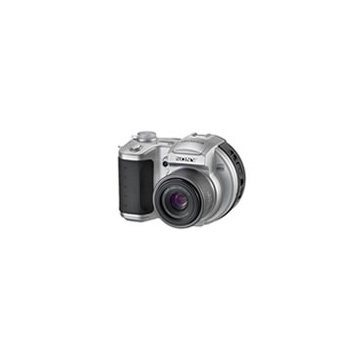
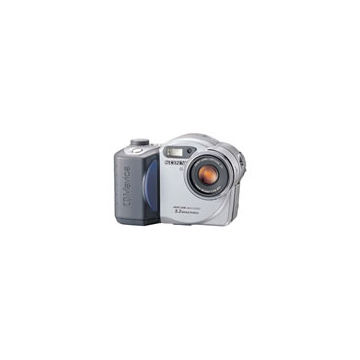
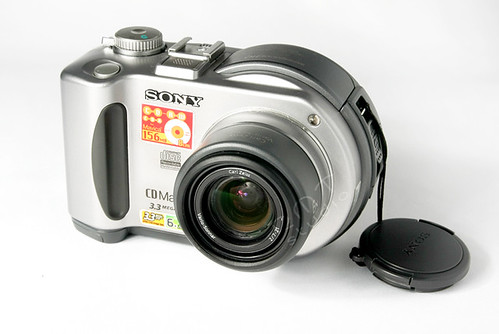
The CD Mavica series (CD200–CD1000) contains a miniature CD-R/RW writer that burns images directly to 8cm mini discs. Over time, the laser diode degrades and the optical assembly collects dust, leading to write failures. This guide covers diagnosis, cleaning, and the limits of field calibration.
How the CD Mavica writer works
Unlike the floppy Mavica cameras that use a magnetic read/write head, the CD Mavica series contains a complete miniature CD-R/RW optical drive. This drive:
- Spins the 8cm mini disc at variable speed (CLV — Constant Linear Velocity)
- Focuses a near-infrared laser (typically 780nm wavelength) through a microscopic objective lens onto the disc surface
- Modulates the laser power to burn pits into the CD-R dye layer (or alter the phase-change layer on CD-RW)
- Reads back written data using the same laser at reduced power to verify the burn
The entire mechanism — spindle motor, laser diode, objective lens, focus/tracking actuators, and sled motor — is packed into a space roughly the size of a matchbox. It is a remarkable feat of miniaturisation for a late-1990s consumer device.
Why CD Mavica lasers fail
Laser diode degradation
The laser diode is a semiconductor device that degrades with use. Every hour of operation causes incremental damage to the laser's active region:
- Gradual power loss: The laser output slowly decreases over thousands of hours. Eventually, it can no longer deliver sufficient power to reliably burn a CD-R.
- Mode instability: An ageing laser may exhibit erratic power output — sufficient for some burns but insufficient for others, causing intermittent write failures.
- Complete failure: Eventually the laser diode ceases to emit, and the camera can no longer write to disc.
Estimated laser diode lifespan: 5,000–10,000 hours of active use. Most CD Mavica lasers have accumulated far less than this, but age alone (even without use) contributes to degradation through crystal defect migration.
Lens contamination
The objective lens is a tiny glass element (approximately 3mm diameter) that focuses the laser onto the disc surface. Over years:
- Dust accumulation: Fine dust settles on the lens surface, scattering the laser beam and reducing focus precision
- Smoke residue: Cameras used in smoky environments develop a film on the lens
- Outgassing deposits: Adhesives and plastics inside the camera body can outgas volatile compounds that deposit on the cold lens surface
Even a thin film of contamination can prevent reliable burning — the focus precision required for CD writing is measured in fractions of a micrometre.
Focus/tracking servo degradation
The laser objective is mounted on a voice-coil actuator that moves it in two axes:
- Focus: Up and down to maintain laser focus on the disc surface
- Tracking: Side to side to follow the spiral track
The voice coil suspension (thin wire springs) can fatigue and lose tension, reducing the servo's ability to maintain accurate focus and tracking. This manifests as:
- Write failures on the outer tracks of the disc (where tracking precision is most critical)
- Intermittent focus-loss errors mid-burn
- Inability to finalise a disc
Spindle motor wear
The disc spindle motor must maintain precise rotational speed. Worn bearings cause:
- Speed fluctuations → burn quality degradation
- Vibration → focus and tracking errors
- Eventually, failure to spin the disc at all
Diagnosis
Symptom table
| Symptom | Likely Cause |
|---|---|
| "C:31:00" or disc error on every burn attempt | Laser power insufficient or lens contaminated |
| Burns succeed but disc is unreadable in other drives | Weak laser — burning at marginal power |
| Burns succeed on CD-R but fail on CD-RW | CD-RW requires higher laser power — laser is degrading |
| Burns fail only on outer tracks | Focus/tracking servo weakening |
| Camera doesn't recognise inserted disc | Laser can't read TOC — severe contamination or laser failure |
| Grinding or buzzing during disc spin-up | Spindle motor bearing wear |
| Intermittent success (some discs work, others don't) | Marginal laser power + disc quality sensitivity |
Disc quality test
Before blaming the camera, rule out disc quality:
- Try a fresh, name-brand 8cm CD-R (Verbatim, TDK, or Sony branded)
- Avoid old stock — CD-R dye degrades over years even in sealed packaging
- Try multiple discs from different batches
- Store discs at room temperature before use — cold discs can cause condensation
If the same camera fails across multiple fresh discs from different brands, the problem is the camera's optical assembly.
Cleaning the laser lens
This is the most common fix and the only maintenance most users can safely perform.
Method 1: Lens cleaning disc
8cm CD lens cleaning discs exist (tiny brushes mounted on a mini CD). Insert and let the camera attempt to read — the brushes sweep across the objective lens.
Effectiveness: Moderate. Good for light dust. Won't remove films or stubborn deposits.
Risk: Low. The brushes are soft and won't scratch the lens.
Method 2: Manual lens cleaning (requires disassembly)
Warning: Discharge the flash capacitor before opening the camera. See the Flash Capacitor Safety article.
- Open the camera body (typically 8–12 Phillips screws)
- Locate the CD drive assembly — it's the largest mechanical component, occupying most of the camera's interior
- Find the objective lens — a tiny, clear glass element (about 3mm) mounted on the focus actuator. It's usually visible without further disassembly.
- Apply a single drop of pure isopropyl alcohol (99%+) to the lens using a cotton swab or lens cleaning stick
- Gently wipe in a circular motion from centre to edge
- Allow to dry completely (30 seconds)
- Inspect under magnification — the lens should be perfectly clear with no residue
Do NOT use:
- Compressed air at high pressure (can displace the delicate voice coil actuator)
- Acetone or other solvents (can dissolve lens coatings or the actuator adhesives)
- Tissues or paper towels (leave fibres)
- Excessive pressure (can damage the voice coil suspension)
Laser power adjustment
This section is for reference and education. Laser power adjustment is a precision procedure that can permanently destroy the optical drive if done incorrectly.
The potentiometer
CD laser drives contain a small trim potentiometer (variable resistor) on the laser driver PCB that controls the laser diode current. Turning this pot adjusts the laser output power:
- Clockwise (typically): Increases laser power
- Counterclockwise: Decreases laser power
Why you probably shouldn't adjust it
- No reference point: Without a laser power meter, you have no way to know the current output or the correct target. Adjusting blind is guesswork.
- Irreversible damage: Too much power will burn out the laser diode instantly. There is no way to recover from this — the drive is dead.
- Marginal improvement: If the laser diode is genuinely degraded, increasing current provides diminishing returns. More current = more heat = faster degradation. You're buying weeks of life at the cost of accelerated failure.
- Focus sensitivity: Higher laser power changes the thermal characteristics of the beam, which can shift the optimal focus point. The servo may not be able to compensate.
When it might be justified
- The camera is otherwise non-functional and will be parts-donor if the fix fails
- You have access to a laser power meter (available from optical equipment suppliers, ~$100–300)
- You're comfortable with the risk of destroying the drive
- The issue has been isolated to marginal laser power (lens is clean, servos are functional, fresh discs tested)
If you proceed
- Mark the original potentiometer position with a paint dot or marker
- Turn the pot no more than 5° at a time (barely perceptible rotation)
- Test a burn after each adjustment
- If 3–4 incremental adjustments don't help, stop — the laser diode is too far gone
- Never turn more than 30° total from the original position
When to give up
The CD Mavica optical drive is not a serviceable component in any practical sense. If cleaning the lens doesn't fix the problem:
- Laser diode replacement is theoretically possible but requires SMD soldering equipment, a compatible replacement diode (nearly impossible to source), and recalibration of the entire optical system.
- Drive transplant from a donor camera of the same model is feasible but requires careful mechanical and electrical compatibility matching.
- Accept the camera as a reader only: Even if the laser can no longer burn, it may still read previously written discs at reduced power. The camera becomes a viewer rather than a shooter.
- Convert to display piece: A CD Mavica with a dead writer is still a beautiful piece of industrial design worth preserving.
Preventive care
- Keep discs clean: Handle 8cm CD-Rs by the edges. Fingerprints on the data surface cause the laser to work harder.
- Store the camera in a dust-free environment: A sealed case or bag when not in use
- Exercise the drive periodically: An optical drive that sits unused for years is more likely to develop bearing issues than one used occasionally
- Use quality media: Cheap CD-R discs with inconsistent dye layers stress the laser more. Verbatim and Taiyo Yuden (now JVC) 8cm discs have the best reputation.
Related Knowledge
8cm CD-R & CD-RW Mini Disc
The 8cm mini CD-R and CD-RW discs used by Sony's CD Mavica cameras — capacity, compatibility, sourcing, and practical tips for shooting in 2025+.
Storage & MediaMavica Storage Evolution: Floppy → Memory Stick → CD
How Mavica storage evolved across three decades — from analog video floppy to 1.44 MB diskette to Memory Stick to 156 MB CD-R — and the tradeoffs at each stage.
Storage & MediaSourcing Replacement Parts
Where and how to find batteries, floppy disks, adapters, and donor cameras for Mavica repairs.
Repair & RestorationCommon Mavica Failures
The most frequent hardware problems across the Mavica lineup and which are repairable vs. terminal.
Repair & RestorationThe CD Mavica Series
A guide to Sony's CD Mavica line (2001–2003) — the seven models that replaced floppy disks with 8cm CD-R media and pushed the Mavica brand to its highest resolutions.
History & CultureFlash Capacitor Safety: Essential Precautions for Mavica Repair
Every Mavica camera with a built-in flash contains a high-voltage capacitor. This component can deliver a dangerous electrical shock — even when the battery is removed. This article explains the risks and how to safely discharge the capacitor before any internal repair work.
Repair & Restoration