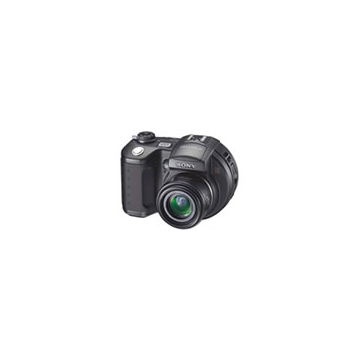
Mavica Storage Evolution: Floppy → Memory Stick → CD
How Mavica storage evolved across three decades — from analog video floppy to 1.44 MB diskette to Memory Stick to 156 MB CD-R — and the tradeoffs at each stage.
Four generations of Mavica storage
The Mavica brand spans 22 years (1981–2003) and four fundamentally different storage technologies. Each transition reflected the rapidly changing landscape of digital storage.
Generation 1: Mavipack Video Floppy (1981–1989)
The format
The original 1981 Mavica and the MVC-A7AF/MVC-A10 still-video cameras used a proprietary 2-inch magnetic floppy disk called the Mavipack (also known as Video Floppy). This was an analog format — it recorded a single video frame as an FM-modulated signal on concentric tracks.
Specifications
| Property | Value |
|---|---|
| Disk diameter | 47 mm (2 inches) |
| Tracks per disk | 25 (field) or 50 (frame) |
| Signal type | Analog FM (NTSC/PAL) |
| Resolution | ~490 × 380 lines (analog) |
| Images per disk | 25 (frame mode) or 50 (field mode) |
Playback
Mavipack disks required a dedicated playback unit connected to a television or video monitor. There was no way to view images on a computer without a specialized framegrabber card.
Generation 2: ProMavica Industrial (1988–1992)
The format
The ProMavica industrial still-video cameras (MVC-2000, MVC-5000, MVC-7000) continued using the 2-inch video floppy format but with higher-quality recording for professional applications — medical imaging, industrial inspection, and document archiving.
Key difference
The ProMavica line added SCSI connectivity for direct digital download to computers — the first Mavica cameras to bridge the analog-digital gap.
Generation 3: 3.5" Floppy Disk (1997–2002)
The breakthrough
The MVC-FD5 (1997) was the first camera to save digital JPEG images directly onto standard 3.5" 2HD 1.44 MB floppy disks — the same disks used in millions of personal computers worldwide. This was the Mavica's killer feature: no special cables, no drivers, no software. Pop the disk out of the camera, slide it into any PC, and your photos are there.
Specifications
| Property | Value |
|---|---|
| Disk diameter | 90 mm (3.5 inches) |
| Capacity | 1.44 MB (formatted) |
| Format | FAT12 file system |
| File type | JPEG (.jpg) or BMP (.bmp) |
| Images per disk (VGA Fine) | 5–10 |
| Images per disk (VGA Std) | 15–28 |
| Write speed | 40–160 KB/s (1×–4× drive) |
18 floppy models
Sony produced 18 digital floppy Mavica cameras between 1997 and 2002, from the basic 0.3 MP FD5 to the 1.9 MP FD200. The floppy format defined the Mavica identity.
The limitation
1.44 MB was never enough. At VGA resolution with Fine compression, you got about 10 shots per disk. At 1.3 MP, often only 4–5. Heavy shooters carried pouches of 20+ pre-formatted floppies.
The adapter workaround
The MSAC-FD2M adapter allowed Memory Stick flash media to be used in the floppy drive slot, expanding capacity up to 128 MB. However, write speed was still limited by the floppy drive interface.
Generation 4: 8cm CD-R (2001–2003)
The next step
The CD Mavica line replaced the floppy drive with an 8cm CD-R/CD-RW drive. At 156 MB per disc, this was a 108× increase over floppy capacity.
Specifications
| Property | Value |
|---|---|
| Disc diameter | 80 mm (3.15 inches) |
| Capacity | 156 MB |
| Format | UDF or ISO 9660 |
| File type | JPEG (.jpg) |
| Images per disc (2 MP Fine) | ~300 |
| Write speed | ~600 KB/s (4×) |
7 CD models
Sony produced seven CD Mavica cameras from 2001 to 2003, reaching up to 5 MP with Carl Zeiss lenses.
The tradeoffs
- Discs were bulkier than floppy disks
- The CD drive made the camera thicker
- CD-R discs are write-once (CD-RW required newer models)
- Spin-up time added 2 seconds before each write
- Discs scratch more easily than floppy disks
Storage capacity comparison
| Generation | Media | Capacity | Images (Fine, best res) |
|---|---|---|---|
| Mavipack Video Floppy | 2" floppy | 25–50 frames | 25–50 (analog) |
| 3.5" Floppy Disk | 3.5" floppy | 1.44 MB | 5–10 |
| Memory Stick (via adapter) | MS card | 8–128 MB | 30–500+ |
| 8cm CD-R | Mini CD | 156 MB | 100–600 |
The end of physical media
By 2003, flash memory cards (SD, CF, Memory Stick) offered gigabytes of capacity in a fraction of the physical size. The Mavica's commitment to rotating physical media — first floppies, then CDs — was the brand's defining characteristic, but also the reason it couldn't survive. Sony discontinued the Mavica name in 2003 and consolidated around the Cyber-shot brand with Memory Stick Pro storage.
Legacy
The Mavica's floppy-based workflow is now what makes it special. In an era of infinite cloud storage and 100 MB smartphone images, the physical ritual of swapping disks — hearing the drive motor, seeing the write light blink — connects photographers to their medium in a way that no modern camera does. The storage limitations that once frustrated users are now the creative constraints that attract a new generation of lo-fi shooters.
Related Knowledge
8cm CD-R & CD-RW Mini Disc
The 8cm mini CD-R and CD-RW discs used by Sony's CD Mavica cameras — capacity, compatibility, sourcing, and practical tips for shooting in 2025+.
Storage & Media3.5" Floppy Disk Photography
How Sony Mavica cameras used standard 1.44 MB floppy disks as their primary storage medium — constraints, workflow, and charm.
Storage & MediaMemory Stick
Sony's proprietary flash memory format that supplemented floppy storage on later Mavica models.
Storage & MediaMavipack & Video Floppy
The analog still-video recording formats used by the original 1981-era Sony Mavica cameras before the digital era.
Storage & MediaMavica Model Numbering: Decoding FD, CD, MVC & DKC
Sony used a systematic naming convention across the Mavica family — FD, CD, MVC, and DKC prefixes each denote a camera's storage format, era, and intended market. Here's how to read any Mavica model number.
History & CultureCD-R Laser Calibration: Maintaining Disc-Series Mavica Writers
The CD Mavica series (CD200–CD1000) contains a miniature CD-R/RW writer that burns images directly to 8cm mini discs. Over time, the laser diode degrades and the optical assembly collects dust, leading to write failures. This guide covers diagnosis, cleaning, and the limits of field calibration.
Repair & Restoration