8cm CD-R & CD-RW Mini Disc
The 8cm mini CD-R and CD-RW discs used by Sony's CD Mavica cameras — capacity, compatibility, sourcing, and practical tips for shooting in 2025+.
What are 8cm CD-R discs?
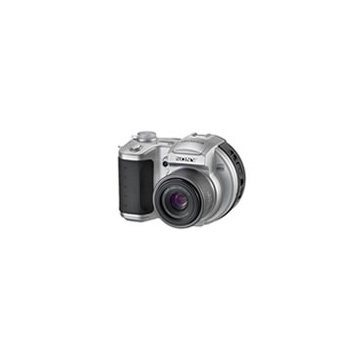
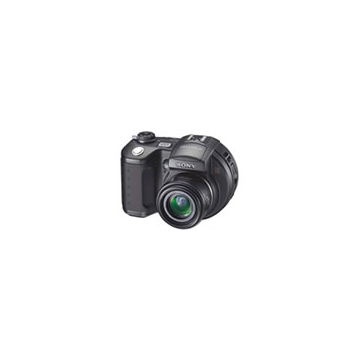
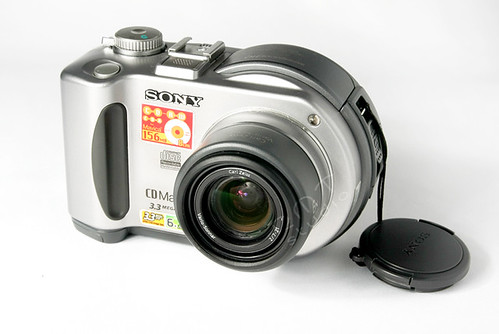
The 8cm (3-inch) CD-R is a miniature version of the standard 12cm CD-R. Sony chose this format for the CD Mavica line (2000–2003) because the smaller disc allowed a more compact camera body than a full-size CD drive would require.
Do not confuse with MiniDisc (MD) — Sony's MiniDisc format is a completely different magneto-optical system in a cartridge shell. The 8cm CD-R used in Mavicas is a standard optical disc, just smaller.
Specifications
| Property | CD-R | CD-RW |
|---|---|---|
| Diameter | 80 mm (3.15") | 80 mm (3.15") |
| Capacity | 156 MB (18 min audio) | 156 MB (18 min audio) |
| Write speed | 1×–4× | 1×–4× |
| Max rewrites | 1 (write-once) | ~1,000 |
| Read compatibility | Standard CD drives | Standard CD-RW drives |
Some 8cm discs were sold as "210 MB / 24 min" — these used the same physical size but a tighter data spiral. Not all CD Mavica models reliably support the higher-capacity discs.
Which Mavica models use 8cm CDs?
| Model | Year | MP | CD Type |
|---|---|---|---|
| CD200 | 2001 | 2.1 | CD-R only |
| CD250 | 2001 | 2.1 | CD-R only |
| CD300 | 2002 | 3.3 | CD-R and CD-RW |
| CD350 | 2002 | 3.2 | CD-R and CD-RW |
| CD400 | 2002 | 4.0 | CD-R and CD-RW |
| CD500 | 2003 | 5.0 | CD-R and CD-RW |
| CD1000 | 2003 | 2.1 | CD-R and CD-RW |
The CD200 and CD250 can only write to CD-R (write-once) discs. The later CD300+ models support both CD-R and CD-RW (rewritable).
Images per disc
With 156 MB of storage, a single 8cm CD-R holds significantly more images than a 1.44 MB floppy:
| Quality | Resolution | Approx. File Size | Images per Disc |
|---|---|---|---|
| Fine | 2592 × 1944 (5 MP) | ~1.5 MB | ~100 |
| Fine | 2048 × 1536 (3 MP) | ~900 KB | ~170 |
| Fine | 1600 × 1200 (2 MP) | ~500 KB | ~300 |
| Standard | 2592 × 1944 | ~700 KB | ~220 |
| Standard | 1600 × 1200 | ~250 KB | ~600 |
This was a massive improvement over the 5–10 images per floppy disk that earlier Mavica users were accustomed to.
Sourcing 8cm CD-R in 2025+
New-old-stock (NOS)
Sealed packs of 8cm CD-R discs are still available through:
- eBay and other auction sites
- Amazon third-party sellers
- Japanese surplus electronics sites (Yahoo Auctions JP, Mercari JP)
Expect to pay $15–30 USD for a 10-pack spindle. Prices have risen steadily as supply dwindles.
Brands to look for
- Sony — the recommended brand, specifically tested with CD Mavica drives
- Verbatim — reliable and widely available in the 2000s
- TDK — another good option from the era
- Maxell — acceptable quality
Brands to avoid
Generic or unbranded 8cm CD-R discs may have higher error rates and inconsistent dye quality. The CD Mavica's laser is calibrated for name-brand media.
CD-RW reusable strategy
If you have a CD300 or later model, invest in a few 8cm CD-RW discs. You can erase and reformat them in-camera:
- Menu → Format → Format Disc → OK
- Wait approximately 1 minute for the format to complete
- The disc is ready for new images
CD-RW discs cost more per unit ($3–5 each) but pay for themselves after a few uses.
Reading 8cm CDs on a computer
Tray-loading drives
Most desktop CD/DVD drives with a tray have an 8cm recess in the tray. Place the mini disc in the inner groove and push the tray in.
Slot-loading drives
Do NOT insert 8cm discs into slot-loading drives (common in MacBooks and car stereos). The disc can get stuck inside and damage the drive mechanism. Use a USB tray-loading external drive instead.
USB external drives
A basic USB CD/DVD drive ($15–25) with a tray is the easiest way to read 8cm discs on any modern computer. The disc shows up as a standard CD-ROM with JPEG files in a DCIM folder.
Practical tips
- Finalize CD-R discs: After your shooting session, use the camera's menu to "Finalize" the disc. This writes the Table of Contents and makes the disc readable in standard CD drives. Un-finalized discs can only be read by the Mavica that wrote them.
- Store discs upright: Like all optical media, store 8cm CDs in cases, upright, away from heat and direct sunlight.
- Label carefully: Don't use adhesive labels on 8cm discs — they can unbalance the disc in the high-speed camera drive. Use a CD marker pen instead.
- Keep the lens clean: The CD Mavica's internal laser lens can collect dust. If you get write errors, the lens may need a gentle cleaning with a blower.
Related Knowledge
Mavica Storage Evolution: Floppy → Memory Stick → CD
How Mavica storage evolved across three decades — from analog video floppy to 1.44 MB diskette to Memory Stick to 156 MB CD-R — and the tradeoffs at each stage.
Storage & Media3.5" Floppy Disk Photography
How Sony Mavica cameras used standard 1.44 MB floppy disks as their primary storage medium — constraints, workflow, and charm.
Storage & MediaJPEG Compression on Mavica
How the Mavica's aggressive JPEG compression shapes its distinctive image character — artifacts as aesthetic.
Storage & MediaThe CD Mavica Series
A guide to Sony's CD Mavica line (2001–2003) — the seven models that replaced floppy disks with 8cm CD-R media and pushed the Mavica brand to its highest resolutions.
History & CultureCD-R Laser Calibration: Maintaining Disc-Series Mavica Writers
The CD Mavica series (CD200–CD1000) contains a miniature CD-R/RW writer that burns images directly to 8cm mini discs. Over time, the laser diode degrades and the optical assembly collects dust, leading to write failures. This guide covers diagnosis, cleaning, and the limits of field calibration.
Repair & Restoration