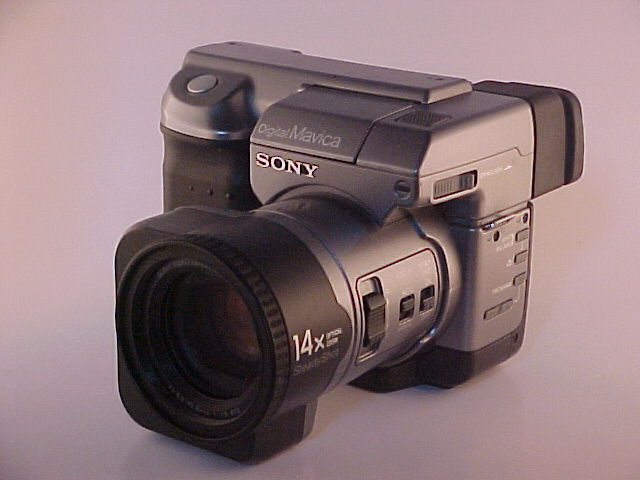
Sensor Pattern Noise (SPN)
How every camera sensor leaves a unique noise fingerprint in its images, and how MaviCats uses this for camera verification.
What is Sensor Pattern Noise?
Sensor Pattern Noise (SPN) is a subtle, fixed pattern of pixel-level intensity variations caused by manufacturing imperfections in a camera's image sensor. No two sensors — even from the same production line — have exactly the same pattern. This makes SPN a reliable "fingerprint" for identifying individual camera units.
How SPN works
Every digital image contains two components: the actual scene content and underlying sensor noise. SPN is extracted by:
- Collecting multiple images from the same camera (ideally 5–15 diverse scenes)
- Applying wavelet denoising (e.g., Bior4.4 wavelets at 4 decomposition levels) to each image
- Subtracting the denoised image from the original — the residual is the noise
- Averaging the noise residuals across all images — scene content cancels out, leaving only the fixed sensor pattern
The resulting reference signature is a 2D array the same size as the camera's output resolution.
PRNU: Photo-Response Non-Uniformity
The dominant component of SPN is called Photo-Response Non-Uniformity (PRNU). It arises because each pixel in a CCD or CMOS sensor converts photons to electrical charge at a slightly different rate. These per-pixel sensitivity differences are permanent and unique to each sensor chip.
Why it matters for Mavica cameras
Because Mavica cameras operate at low resolutions (640×480 to 2048×1536), the SPN signal-to-noise ratio is actually quite favorable. The heavy JPEG compression and simple optics in these cameras do reduce correlation, but the signatures remain distinguishable across different camera models. Cross-camera discrimination (comparing an image against a different camera's signature) typically yields near-zero correlation, while same-camera comparisons produce measurable positive correlation.
The MaviCats verification system
MaviCats uses SPN analysis as the third tier of its image verification pipeline:
- Tier 1: Safety Scan — AI-based content safety classification
- Tier 2: Camera Verification — EXIF metadata extraction and gearbase matching
- Tier 3: Sensor Fingerprint — SPN correlation against reference signatures
When a user uploads an image tagged with a specific camera, the system can compare the image's noise residual against the stored reference signature for that camera model. A high correlation (measured by Normalized Cross-Correlation) provides cryptographic-like assurance that the image genuinely came from a Mavica camera.
Technical details
| Parameter | Value |
|---|---|
| Wavelet | Biorthogonal 4.4 (bior4.4) |
| Decomposition levels | 4 |
| Correlation metric | Normalized Cross-Correlation (NCC) |
| Minimum reference images | 5 |
| Typical same-camera NCC | 0.25 – 0.40 |
| Typical cross-camera NCC | -0.05 – 0.05 |
Building reference signatures
Reference signatures are built by administrators who collect multiple verified images from a known camera model. The more images used, the stronger the signature — scene content averages out more completely with larger sample sizes.
Limitations
- SPN works best when images are at the camera's native resolution (no cropping or resizing)
- Heavy post-processing (filters, aggressive editing) can degrade the noise pattern
- Very dark or overexposed images contain less usable SPN signal
- The technique identifies camera models via shared signatures, not individual camera units (which would require per-unit reference data)