Multi-Burst Mode
Multi-Burst captures 16 sub-frames in a single shutter press, creating a contact-sheet-style grid image. Available on select mid-range Mavica models.
What is Multi-Burst?
Multi-Burst is a shooting mode that captures 16 consecutive sub-frames in rapid succession and composites them into a single image arranged in a 4 × 4 grid. Each sub-frame is 160 × 120 pixels, and the final composite fills the camera's full resolution frame.
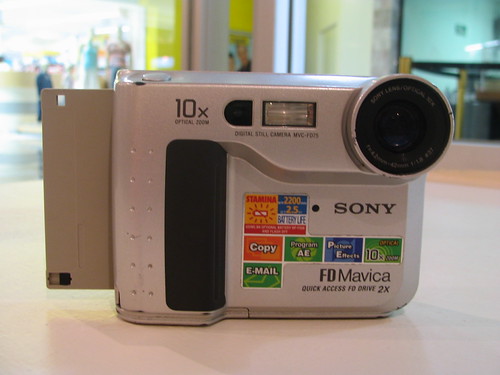
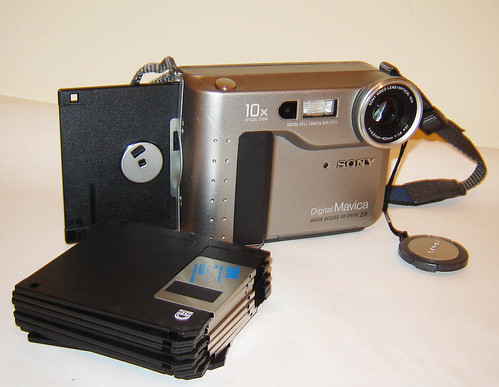
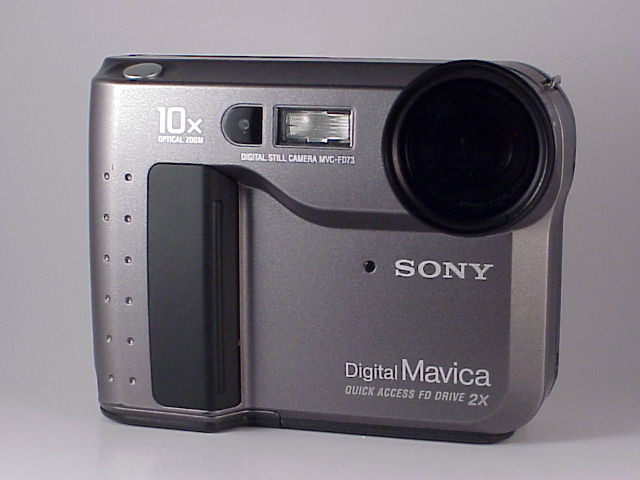
The feature was introduced on the FD71 (1998) and carried forward to the FD73 and FD75.
How it works
- Select Multi-Burst from the camera menu.
- Choose the frame interval: 1/7.5 s, 1/15 s, or 1/30 s between frames.
- Press the shutter once — the camera fires 16 sub-exposures automatically.
- The resulting composite is saved as a single JPEG to the floppy disk.
The total capture time depends on the interval:
| Interval | Total Capture Time | Use Case |
|---|---|---|
| 1/30 s (~33 ms) | ~0.5 second | Fast motion analysis |
| 1/15 s (~67 ms) | ~1.0 second | Walking, gestures |
| 1/7.5 s (~133 ms) | ~2.0 seconds | Slow motion, dance |
Which models have Multi-Burst?
| Model | Year | Notes |
|---|---|---|
| FD71 | 1998 | First model with Multi-Burst |
| FD73 | 1999 | Same implementation |
| FD75 | 2001 | Last floppy model with Multi-Burst |
Higher-end models like the FD88, FD90, FD91, and FD95 do not have Multi-Burst — Sony positioned it as a fun feature for the mid-range consumer line rather than the prosumer models.
The CD-series also lacks Multi-Burst.
Creative uses
Stop-motion animation frames
Shoot a moving subject at 1/7.5 s interval to get a 2-second stop-motion sequence captured in one shot. Extract the individual frames in an image editor for a 16-frame animation loop.
Motion study
Photograph a golf swing, a pet jumping, or a friend dancing. The 4 × 4 grid naturally shows the progression of movement — an effect that echoes Eadweard Muybridge's famous motion study photographs from the 1870s.
Artistic grids
Even static subjects produce interesting results when the camera shakes slightly over the 2-second capture. The subtle shifts between frames create a kaleidoscopic, lo-fi collage.
Limitations
- Resolution: Each sub-frame is only 160 × 120 pixels. The composite looks sharp at thumbnail size but breaks down quickly when zoomed in.
- Lighting: The camera uses the same exposure for all 16 frames, so rapid lighting changes (strobe, lightning) can cause inconsistent brightness across the grid.
- Storage: Multi-Burst composites are standard JPEG files — they take the same disk space as a normal photo at equivalent quality.
- No individual frame extraction in-camera: You need a computer to crop out individual sub-frames.
Practical tips
- Use a tripod or rest the camera on a stable surface. Even at 1/30 s interval, camera shake during the 0.5-second burst will blur every frame.
- Bright daylight works best — the camera needs fast shutter speeds for each sub-frame.
- Multi-Burst works well with the FD71's 10× zoom. Zoom in on a distant subject and capture a telephoto motion sequence.
Related Knowledge
Exposure Modes Explained
A walkthrough of Auto, Program AE, Shutter Priority (S), Aperture Priority (A), and Manual (M) exposure modes available on Mavica cameras.
Camera TechnologyLo-Fi Aesthetic
The intentional embrace of technical imperfection — low resolution, heavy compression, and CCD character — as an artistic choice.
Techniques