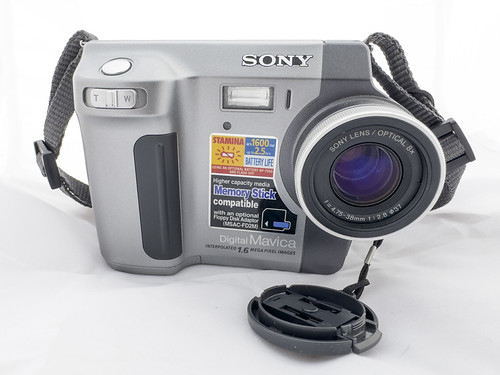
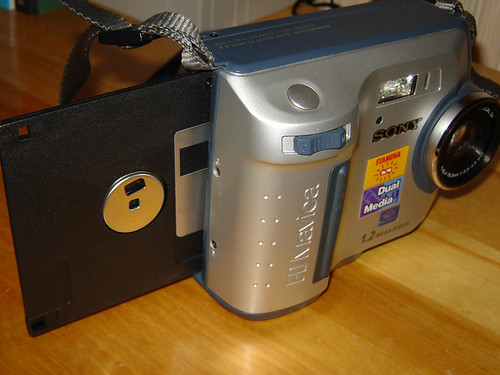
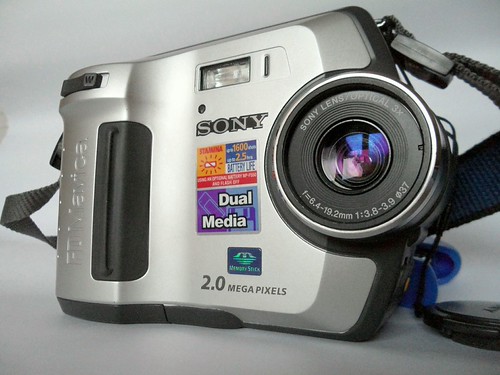
Floppy Write Speed
Why the floppy drive is the Mavica's biggest bottleneck — understanding the 1×, 2×, and 4× speed ratings and their real-world impact on shooting.
The floppy bottleneck
The 3.5" floppy disk's maximum data rate is the single biggest limitation of every floppy-based Mavica camera. While the CCD sensor can capture an image in a fraction of a second, writing that image to disk takes significantly longer.
Speed ratings explained
| Speed | Data Rate | Time per Fine JPEG (VGA) | Time per Fine JPEG (1.2 MP) |
|---|---|---|---|
| 1× | ~40 KB/s | ~3–4 seconds | ~8–10 seconds |
| 2× | ~80 KB/s | ~2 seconds | ~5–6 seconds |
| 4× | ~160 KB/s | ~1 second | ~3 seconds |
The "×" rating is relative to the original IBM floppy disk transfer rate standard.
Speed by model
| Floppy Speed | Models | Year Range |
|---|---|---|
| 1× | FD5, FD7 | 1997 |
| 2× | FD51, FD71, FD73, FD81, FD83 | 1998–1999 |
| 4× | FD75, FD85, FD87, FD88, FD90, FD91, FD92, FD95, FD97, FD100, FD200 | 1999–2002 |
The first-generation FD5 and FD7 have the slowest drives. By 1999, Sony had figured out how to reliably run the tiny floppy drive at 4× speed, and every subsequent model uses the faster mechanism.
Real-world impact
Shot-to-shot time
On a 1× model (FD5/FD7), after pressing the shutter you must wait 3–4 seconds before you can take the next shot. During this time the camera displays "RECORDING" and the floppy drive whirs audibly. On a 4× model the wait drops to about 1 second for VGA images.
Higher resolutions make it worse
On the later megapixel models with 4× drives, a Fine-quality 1.2 MP image (~150 KB) still takes about 3 seconds to write. A 1.9 MP Fine image on the FD200 (~250 KB) takes 4+ seconds. The floppy is always the bottleneck.
Missed moments
The write delay means floppy Mavicas are poorly suited for action photography or candid street shooting where timing matters. You learn to anticipate and pre-compose rather than rapid-fire.
The write sound
The mechanical whir and click of the floppy drive writing is one of the most iconic sounds in Mavica photography. Many users consider it part of the charm — an audible confirmation that your image was captured.
Comparing to other Mavica storage
| Storage | Capacity | Write Speed | Images (Fine, 2 MP) |
|---|---|---|---|
| 3.5" Floppy (4×) | 1.44 MB | ~160 KB/s | 5–6 |
| Memory Stick (MS) | 8–128 MB | ~1.5 MB/s | 30–500+ |
| 8cm CD-R (4×) | 156 MB | ~600 KB/s | ~300 |
The Memory Stick adapter (MSAC-FD2M) doesn't help write speed because data still passes through the floppy drive interface — the adapter is only about storage capacity.
Tips for faster shooting
- Use Standard quality instead of Fine. File sizes drop by roughly 50%, cutting write times in half.
- Shoot at lower resolution if your camera supports multiple sizes. VGA (640 × 480) writes much faster than 1024 × 768 or higher.
- Pre-format your floppies on a computer using 1.44 MB DOS format. A freshly formatted disk may give slightly more consistent write times than a disk with remnant data.
- Carry multiple disks: With only 5–10 images per disk, bring a stack. Experienced Mavica photographers carry a pouch with 10–20 pre-formatted floppies.
- Embrace the rhythm: The write delay forces a deliberate, thoughtful shooting style. Each frame is considered. Many photographers find this meditative quality is what draws them to floppy Mavicas in the first place.
Related Knowledge
BMP Uncompressed Output
Some Mavica models can save images as uncompressed BMP files in addition to JPEG — how it works, which models support it, and when the massive file sizes are worth the tradeoff.
Storage & Media3.5" Floppy Disk Photography
How Sony Mavica cameras used standard 1.44 MB floppy disks as their primary storage medium — constraints, workflow, and charm.
Storage & MediaMemory Stick
Sony's proprietary flash memory format that supplemented floppy storage on later Mavica models.
Storage & MediaJPEG Compression on Mavica
How the Mavica's aggressive JPEG compression shapes its distinctive image character — artifacts as aesthetic.
Storage & MediaStitching & Panoramas: Working Around Low Resolution
Mavica cameras top out at 5 megapixels — and most shoot at well under 2 MP. Image stitching lets you combine multiple overlapping frames into a single high-resolution panorama, dramatically exceeding a single frame's detail.
Techniques